
Get your lease signed without the paper chase
Start with a supported provincial lease already populated from the application. Add any remaining terms, send it to every signer and collect signatures online with no printing, scanning or re-entering details.
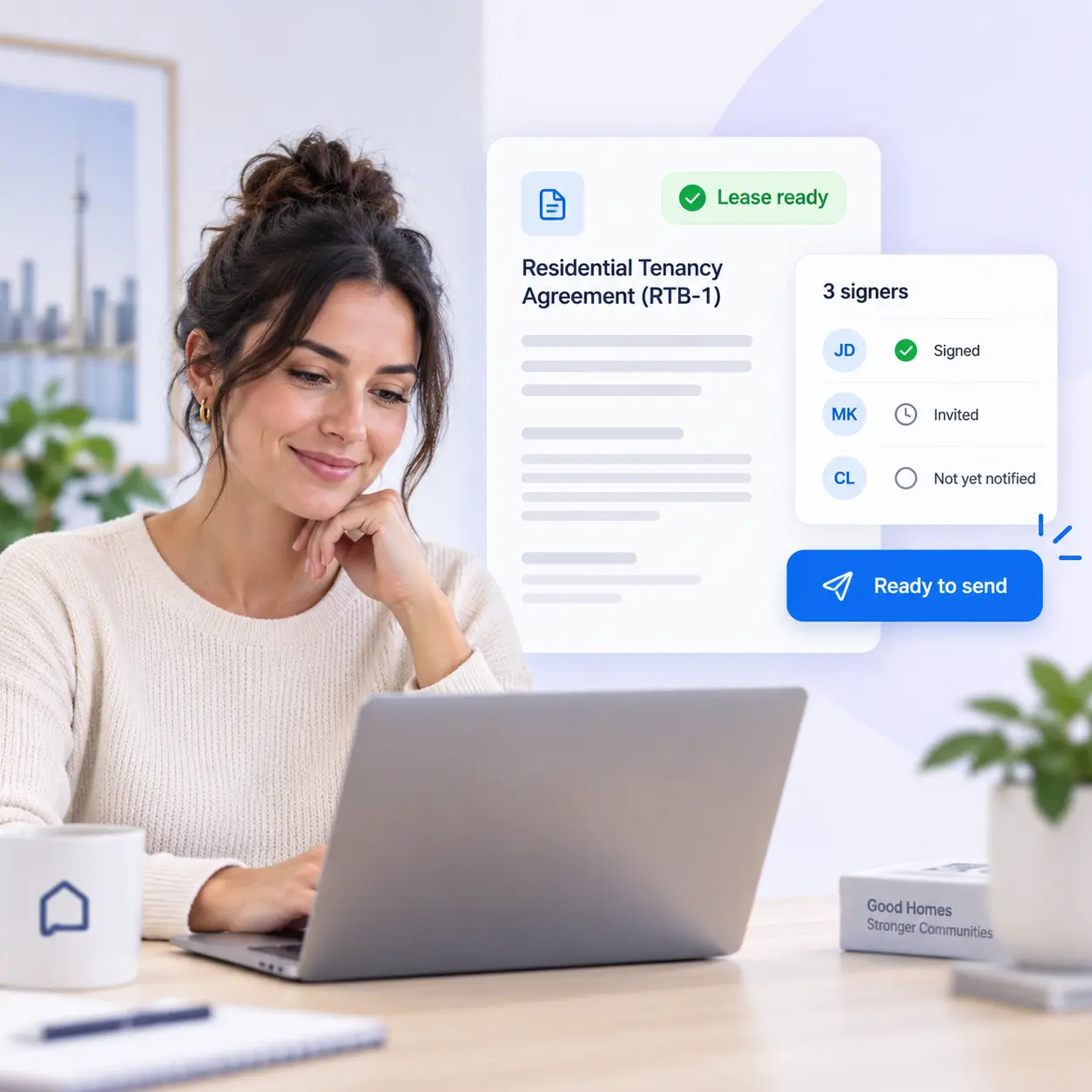
You chose the tenant. Then the paperwork starts over
The application is complete and the tenant is chosen. You shouldn’t have to rebuild names, contact information, property details, and applicant information in another document or signing tool.
Turn the application into a lease
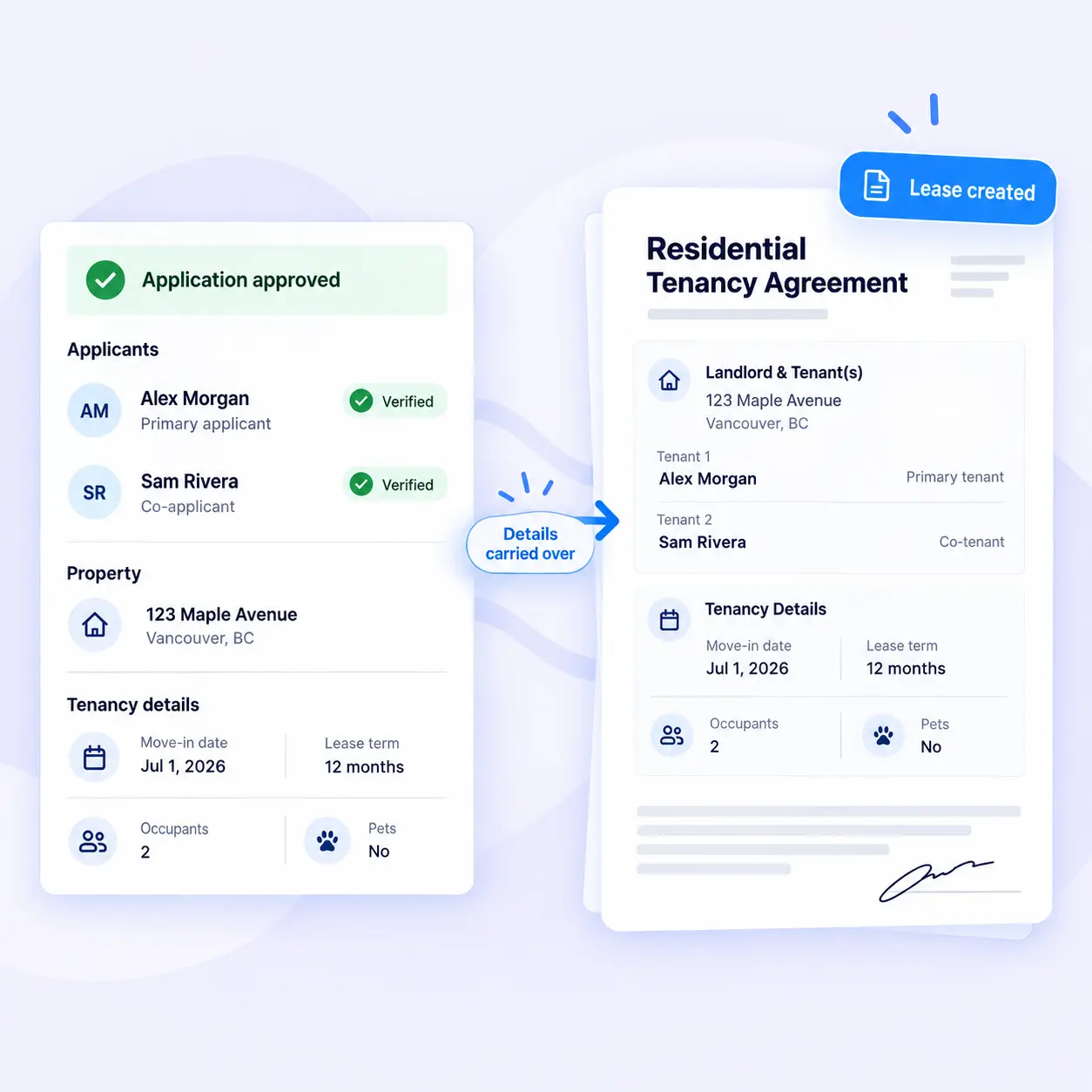
Once you choose an applicant, Property Copilot carries the tenant, co-applicant, landlord and property details into a supported provincial lease. Review what is already there, add the remaining terms and send it for signature.
- Applicant and co-applicant details
- Landlord information
- Property and listing details
Add the terms that make the lease complete
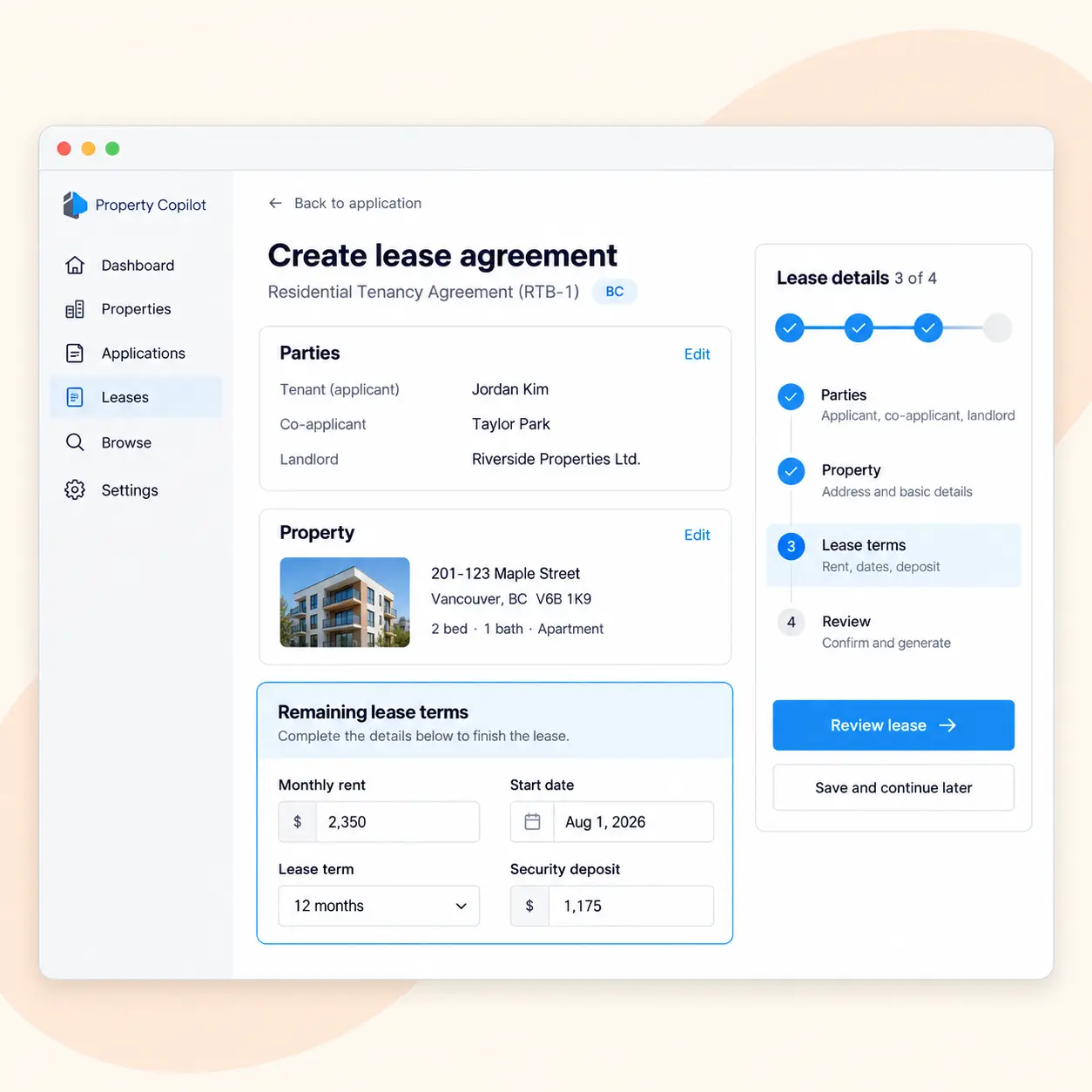
Enter the rent, dates and remaining tenancy details in the lease builder. Property Copilot keeps the supported provincial form organized, so you can focus on the agreement instead of formatting documents or managing PDFs.
Complete only the details still required
Review the lease before sending
Keep everything with the original rental file
Send it once. Get every signature online.
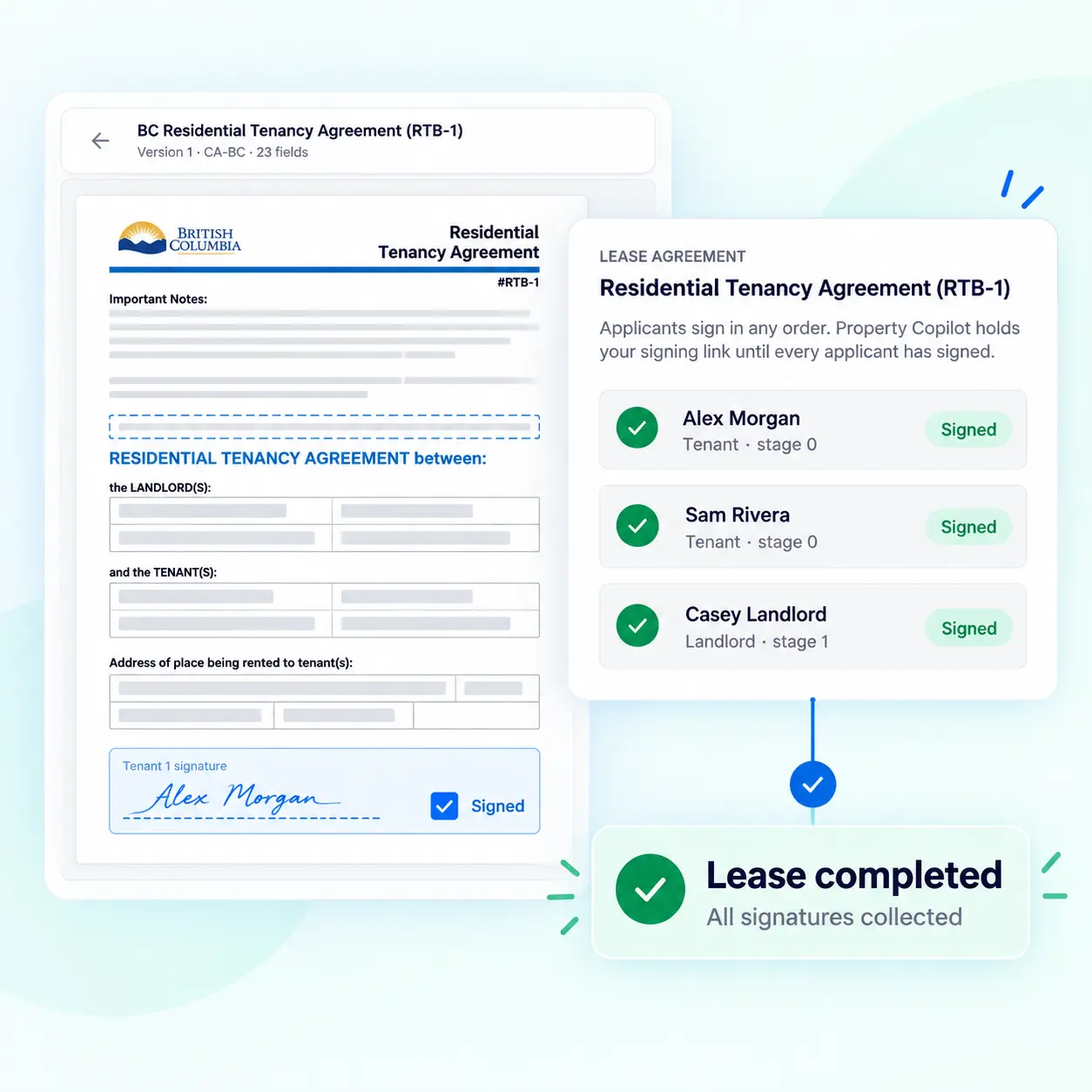
Send the completed lease to the landlord, tenant and any co-applicants. Each person can sign from their browser, without printing, scanning or emailing separate copies back and forth.
Send one lease to every signer
Sign online from any browser
Keep the completed lease with the rental file
Start with the right lease for the property
Create your agreement using a supported provincial residential lease form, then complete and send it through the same digital workflow.
Property Copilot currently supports residential leases for British Columbia and Ontario.
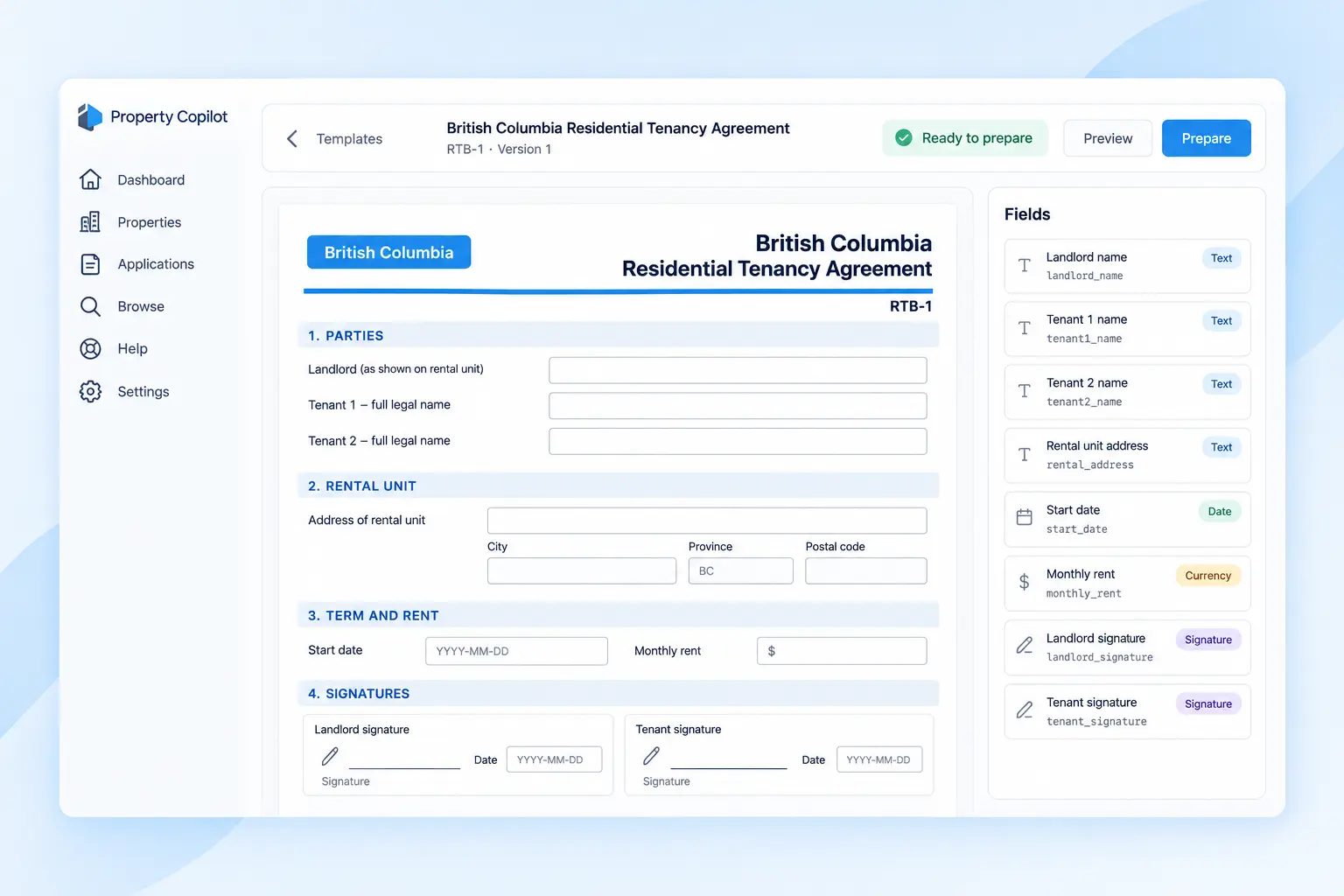
British Columbia leases
Prepare the supported BC residential tenancy agreement and complete it through the same digital workflow.
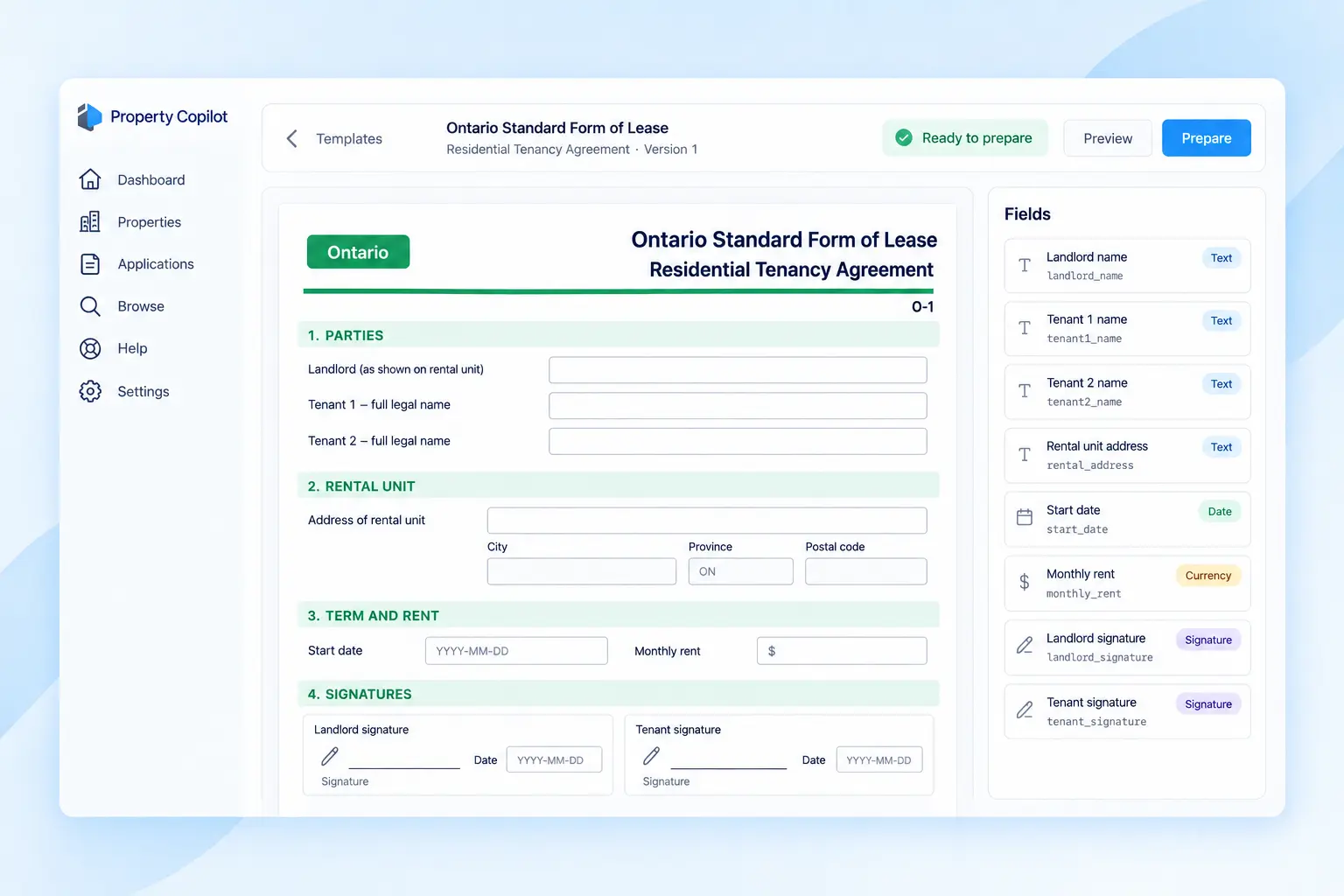
Ontario leases
Prepare Ontario’s standard residential lease and send it for signatures online.
Signed online. Backed by a clear record.
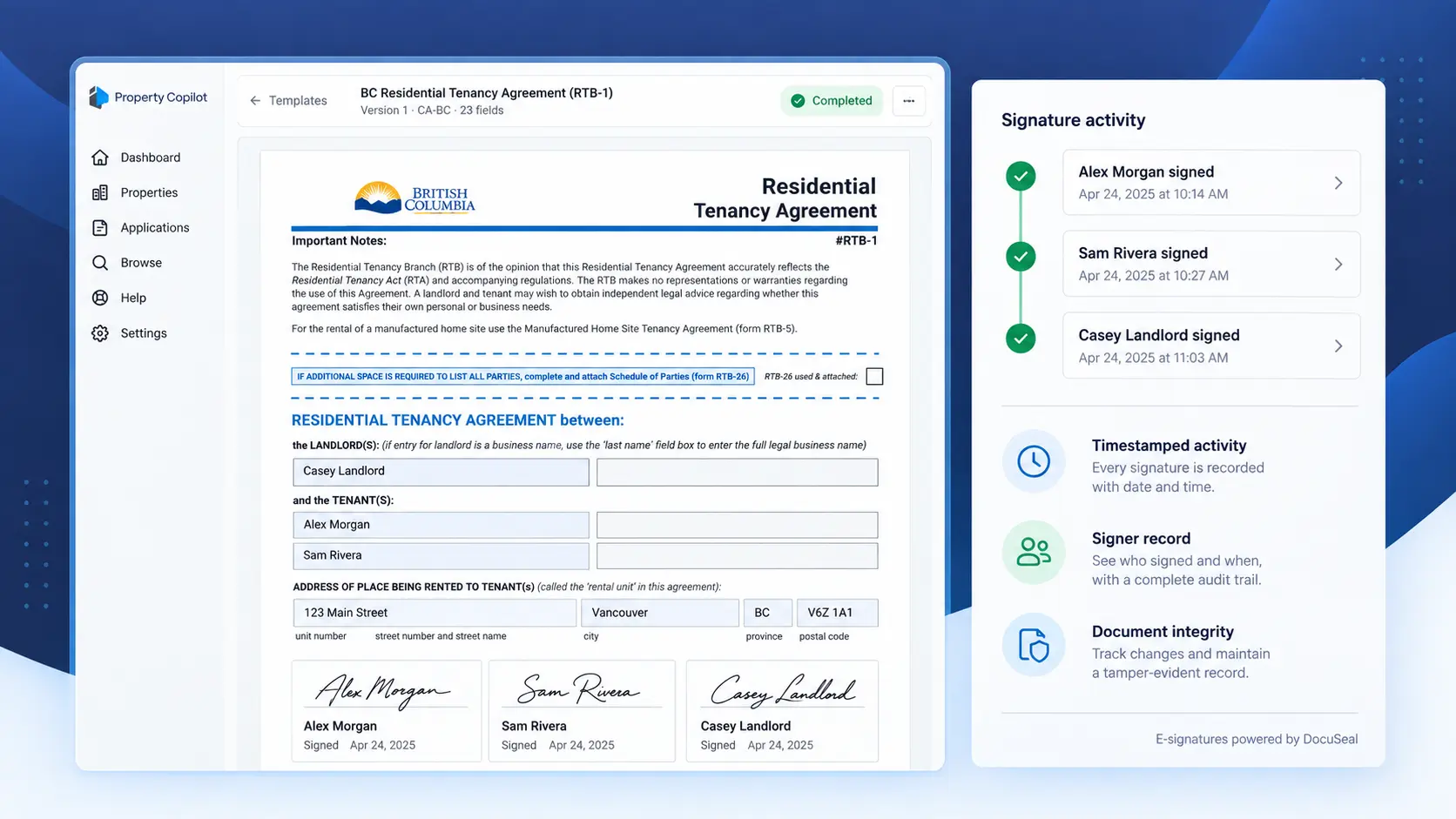
Every signing action is recorded in a timestamped audit trail. Once complete, the signed lease and its signing record stay with the rental file, giving you a clear record of who signed and when.
Timestamped signing activity
Signer identity and authentication
Comprehensive audit trail
Signed-document integrity controls
FAQs
Direct answers about the lease workflow, signatures, and what Property Copilot does and does not do.
Applicant and co-applicant names and contact details carry over from the application. Landlord information and property details from the listing also appear in the lease.
Landlords, applicants, and co-applicants can sign the lease online from a browser. No printing or scanning is required.
Property Copilot currently supports residential lease preparation for British Columbia and Ontario.
No. Property Copilot helps prepare supported lease forms and collect signatures. It does not provide legal advice.
Yes. Review the information carried over from the rental file, complete the remaining terms, and confirm the lease before sending it to the signers.
The completed lease and its signing record stay with the original rental file, so the agreement remains connected to the application and tenant decision.
Make the paperwork the easy part
Turn an approved application into a signed lease without rebuilding the file, chasing signatures, or managing PDFs.