
Picking software to help manage your property is not about finding the tool with the longest feature list, it's about matching a tool to your portfolio size, your province's rules, and solving the two or three tasks that actually eat your time every month. Get that match wrong and you end up paying for features you never touch, or worse, missing the one feature that would have saved you from a dispute.
This guide walks through the criteria that actually matter, in the order you should check them, so you can compare any platform against your own situation instead of a marketing page.
TL;DR
Choosing property management software comes down to five checks: your portfolio size and growth plans, the specific tasks you want automated, whether the platform supports your province's tenancy rules, the real all in cost once add ons are included, and how the tool performs in a short real world trial. If you want to see how specific platforms stack up against each other, our comparison of the top property management tools for 2026 covers that side by side.
Table of Contents
- Start With Your Portfolio, Not the Software
- The Core Features Worth Checking
- Canadian Requirements to Verify
- How Pricing Models Actually Work
- Questions to Ask Before You Commit
- Red Flags Worth Walking Away From
- Test It Before You Trust It
- Where Property Copilot Fits
Key Takeaways
- Start from your own workflow, not a feature list. The right software fixes the two or three tasks that cost you the most time each month.
- Portfolio size is the first filter. Every platform is built for a specific tier, and stretching one past the tier it was designed for is where most wasted spend happens.
- Canadian landlords need to check for provincial lease support and compliance features specifically. Many popular platforms are built for the US market first.
- Pricing structure matters more than the headline number. Per unit fees, screening add ons, and minimum spends can change the real cost significantly.
- A short paid or free trial on one unit tells you more in two weeks than any comparison chart.
1. Start With Your Portfolio, Not the Software
Before comparing tools, get clear on three numbers: how many units you manage today, how many you expect to manage in two years, and how many hours a month you currently spend on admin.
Portfolio size is the biggest single filter, because most platforms are built for one tier and stretch badly in either direction. Roughly where the lines fall:
- 1 to 4 units. Owner with a condo or a basement suite, rental income on the side. The software needs to handle one vacancy at a time without a standing monthly cost.
- 5 to 20 units. Self managing landlord. The software needs to replace the spreadsheet and the inbox: listings, applications, screening, and leases in one place.
- 51+ units. Property manager. The software needs to coordinate a team, keep each owner informed, and track performance across the whole portfolio.
The mismatch cuts both ways. A platform built for a management company carries team and owner reporting layers that a landlord with eight units will never open, and it prices accordingly. A tool built for a single condo owner starts to buckle the moment you are running three vacancies at once and cannot tell which applicant belongs to which unit. Find your row first, then judge every platform on how well it serves that row rather than on how long its feature list runs.
If you are not sure what your current admin load looks like, our cost breakdown of managing a rental property is a useful starting point. Self managing landlords commonly spend 8 to 10 hours a month per property on tenant messages, rent follow up, and paperwork. That figure is per property, which is exactly why the case for automation gets stronger with every door you add.
2. The Core Features Worth Checking
Every platform will claim to do everything. In practice, four categories cover most of what a landlord needs day to day.
Listing and marketing. Can you post once and have it reach the rental sites your applicants actually use, or are you copying the same listing into five different tabs?
Tenant screening. Does the platform run credit, ID, and income verification through a legitimate data source, or does it just give you a form to collect documents that could be faked?
Lease creation and e signature. Does it generate a lease you can actually use in your jurisdiction, or a generic template you will need a lawyer to review anyway?
Rent tracking and record keeping. Are payments and receipts logged in one place, or are you still reconciling a bank statement against a spreadsheet?
Rent reporting. Can tenants build their credit score through rent payments, while also helping landlords get rent payments on time?
Rank these five by how much time each one currently costs you. If screening is not a pain point because you rarely get new applicants, do not let it drive your decision. If chasing rent records at tax time eats your weekends, weight that most heavily. Very few platforms are strong in all five, so knowing your own order matters more than finding a tool that claims everything.
3. Canadian Requirements to Verify
This is where a lot of landlords get burned. Many of the best known property management platforms were built for the US market first with Canadian support added later, sometimes incompletely. Before you commit, confirm the platform:
- Offers lease templates built around your province's tenancy act, not a generic templates you need to modify yourself.
- Handles credit reporting through a bureau that is actually used in Canada, like Equifax Canada, rather than a US only credit agency.
- Handles applicant consent and personal information in line with PIPEDA, which applies to landlords collecting information for a credit check.
- Reflects your province's rules on notice periods, deposits, and rent increases in whatever calculators or reminders it includes.
Tenancy law in Canada is provincial, not national, so a lease or notice template that is correct in Ontario may not hold up in BC or Alberta. The federal Office of Consumer Affairs directs landlords to their own provincial office rather than to any national standard, and confirms that PIPEDA governs the personal information you collect for a credit check. In BC, those rules sit with the Residential Tenancy Branch, which administers the Residential Tenancy Act.
Our breakdown of how lease agreements differ across BC, Ontario, and Alberta is worth reading before you assume any single template will travel across provinces.
4. How Pricing Models Actually Work
Property management software pricing usually falls into one of three shapes:
- Flat monthly fee that scales with unit count. Common for platforms built for smaller portfolios. Predictable, but check where the price jumps happen as you add units.
- Per unit pricing with a minimum spend. Common for enterprise grade platforms aimed at larger operations. This can be expensive for a landlord with only a handful of units.
- Free core features with paid add ons. Increasingly common. The base dashboard is free, but screening reports, extra users, or premium templates are charged separately.
None of these is inherently better. The trap is comparing headline prices without adding in what you will actually use. A platform that looks cheaper on the pricing page can end up costing more once you factor in per report screening fees or a minimum spend that assumes a portfolio twice the size of yours.
5. Questions to Ask Before You Commit
Before signing up for anything beyond a free trial, get straight answers to these:
- What happens to my data if I want to switch platforms later? Can I export leases, tenant records, and payment history?
- Is screening bundled into every application, or can I choose when to pay for a report?
- Does customer support cover Canadian tenancy questions, or only general software troubleshooting?
- What is the actual cost at my current unit count, including any add ons I would realistically use?
- Is there a contract, or can I cancel month to month?
If a sales page or a rep cannot answer these clearly, that is information too.
6. Red Flags Worth Walking Away From
A few signals tend to predict a bad fit down the road:
- No clear pricing page, and you have to book a call just to see a number.
- No mention of Canadian tenancy law, provincial leases, or Canadian payment processing anywhere in the product.
- Screening or credit reporting routed through a US only bureau with no Canadian equivalent.
- Reviews that consistently mention the same complaint, like slow support or surprise fees, across multiple independent sources.
- A free trial that requires a credit card and makes cancellation difficult to find.
None of these is an automatic disqualifier on its own, but two or more together are worth taking seriously.
7. Test It Before You Trust It
A comparison chart can only tell you so much. The fastest way to know whether a platform fits is to run one real unit through the workflow end to end: publish the listing, take a real application, screen an applicant, and get a lease signed. Two weeks of real use will surface friction that no feature list mentions, whether that is a clunky mobile experience, a support ticket that goes unanswered, or a screening report that takes three days to arrive.
Then add whatever else is core to your month. If maintenance coordination is where your time goes, test that too, and treat anything the platform cannot handle as a gap you will still be solving somewhere else.
8. Where Property Copilot Fits
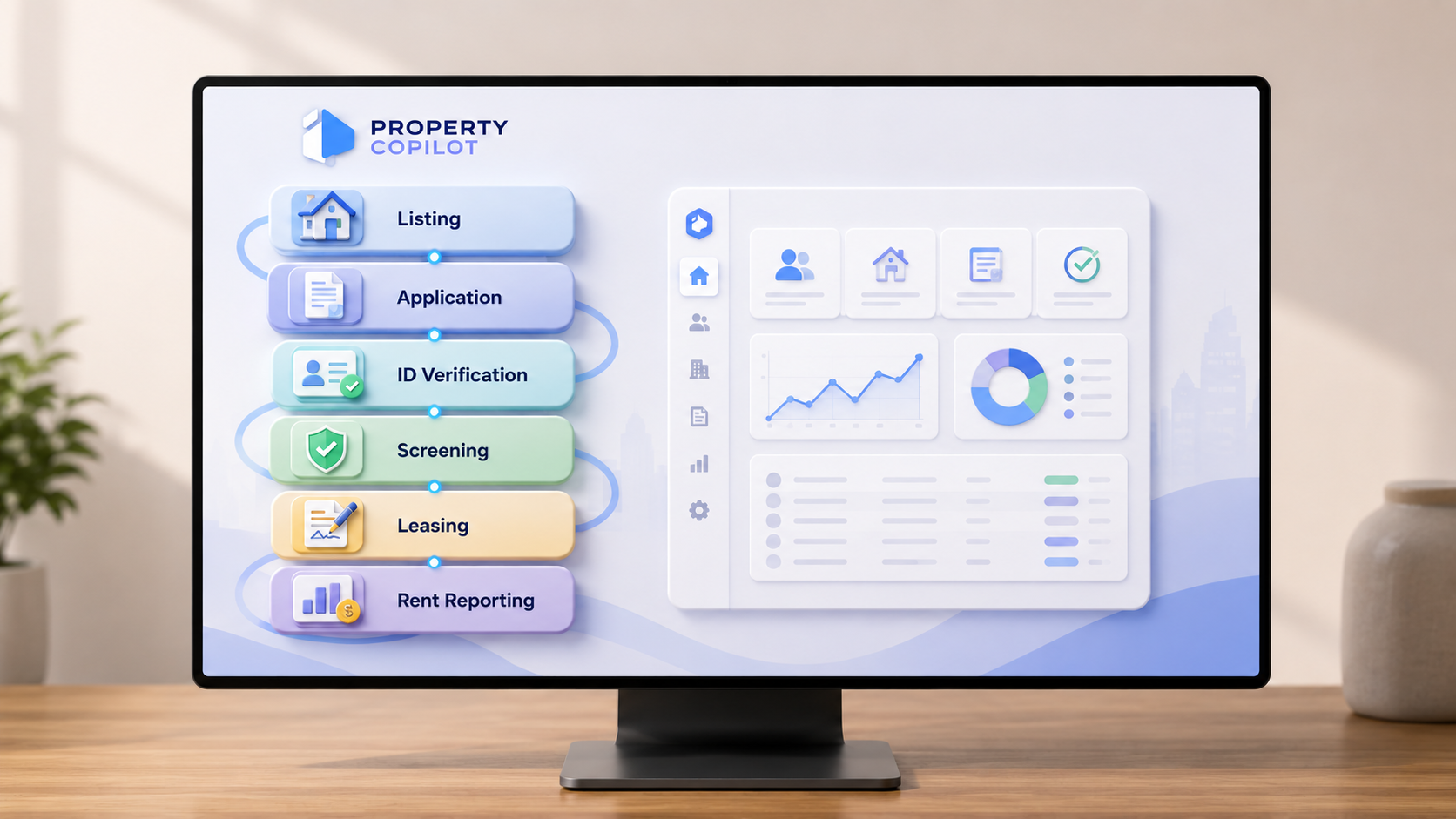
Running this framework against Property Copilot shows how the criteria apply in practice. Property Copilot is deliberately narrow. It covers the front end of leasing, from an empty unit to a signed lease.
Core features. Listings with one shareable link, applications that collect details, documents, and co applicants from the applicant rather than from you, ID verification at submission, and province specific lease generation with digital signing.
Canadian requirements. Leases are built around provincial tenancy rules rather than generic templates, and screening runs through Equifax Canada rather than a US only bureau.
Pricing structure. Your first property is always free, with no credit card and no contract. Beyond that it is $10 a month for two to three properties and $25 a month for four to ten, with custom pricing above that. Tenant screening is $25 per report, run only when you ask for one, so a slow month costs you nothing.
Where the line sits. Property Copilot is built for landlords managing units they own. If you are managing units on behalf of other owners, you need a platform built for that job, which is a different category of tool at a different tier of pricing.
Start with Property Copilot and see how it holds up against the checklist in this guide.
Conclusion
The best property management software for you is not the one topping a "best of" list. It is the one that matches your portfolio size, covers your province's legal requirements, and actually gets used instead of abandoned after the first month. Rank your own pain points first, verify the Canadian details, do the pricing math for your unit count, then test it on one property before you commit your whole portfolio.
If you want to see how specific platforms compare on these criteria, our 2026 roundup of the top property management tools walks through Property Copilot, Buildium, AppFolio, and Yardi Breeze side by side.
FAQ
What is the most important factor in choosing property management software?
Fit with your portfolio size and your current pain points matters more than any single feature. A platform built for a management company will feel heavy and overpriced for a landlord with eight units, and a tool designed for one condo will buckle once you are running several vacancies at once.
Do I need Canada specific property management software?
Not strictly, but you need to verify that whatever platform you choose supports provincial lease requirements, Canadian payment processing, and a credit bureau that is actually used here, like Equifax Canada. Many popular platforms are built for the US market first and add Canadian support later.
How much should property management software cost for a small landlord?
Pricing varies widely, but many platforms built for small portfolios offer free or low cost entry tiers, with screening and premium features charged separately. Compare the real monthly cost at your actual unit count, not just the advertised starting price.
Can I switch property management software later if I choose wrong?
Usually, yes, but check before you commit. Ask whether you can export tenant records, lease documents, and payment history, since some platforms make switching harder than others.
Should I test software before committing to a paid plan?
Yes. Running one real unit through the full listing, application, screening, and lease workflow for two weeks will tell you more than any feature comparison chart.